

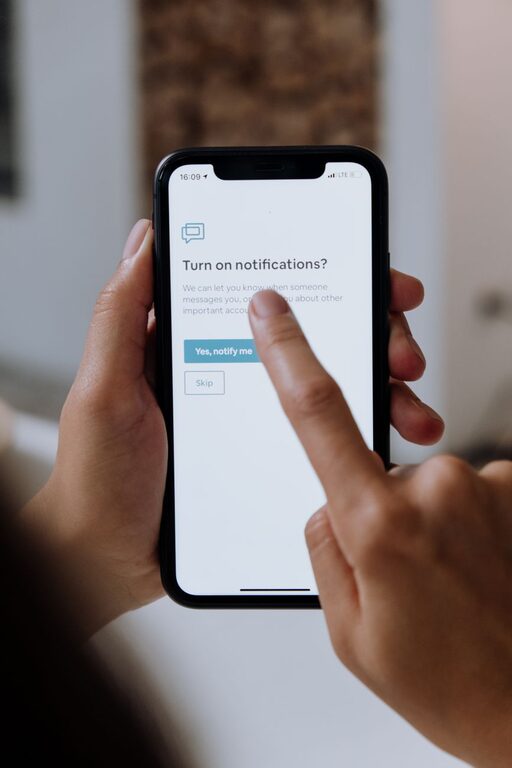
In today’s digital world, notifications are everywhere. From smartphones and computers to tablets and smartwatches, these alerts demand our attention constantly. While notifications can be useful for staying updated, they can also become overwhelming, distracting, and stressful if not managed well.
Setting boundaries with notifications helps protect your focus, reduce anxiety, and create a healthier relationship with technology. This post offers practical tips to help you take control of your notifications and find more balance in your daily life.
Why Setting Notification Boundaries Matters
Notifications are designed to capture your attention, often interrupting tasks or conversations. This can lead to:
– Reduced productivity due to constant distractions
– Difficulty focusing on important work or relaxation
– Increased stress from feeling “always on”
– Poorer sleep quality when notifications come at night
By setting clear limits around notifications, you regain control over when and how you engage with technology, improving your overall wellbeing.
Tips for Setting Boundaries with Notifications
1. Audit Your Notifications
Start by reviewing all the apps and devices that send you alerts. Ask yourself:
– Which notifications are truly essential?
– Which apps send unnecessary or repetitive notifications?
– Are there alerts you don’t need during certain hours or activities?
Disabling non-essential notifications is the first step toward reducing overload.
2. Customize Notification Settings
Most devices and apps let you tweak notification preferences. Consider:
– Turning off sound or vibration alerts
– Using “silent” or “banner-only” notifications without interruptive pop-ups
– Enabling notification summaries that bundle alerts together
Adjust settings app by app for a tailored experience that minimizes disruption.
3. Set “Do Not Disturb” Times
Use built-in features like “Do Not Disturb” mode to block notifications during focused work, meals, or bedtime. Tips include:
– Scheduling Do Not Disturb hours daily
– Allowing exceptions for important contacts or emergency alerts
– Using focus modes that limit distractions based on activity
This creates dedicated windows when you can disconnect without missing critical updates.
4. Use Notification Management Apps
Several apps help organize and filter notifications. Examples include:
– Notification blockers that pause non-urgent alerts
– Apps that prioritize messages based on sender or content
– Tools that summarize notifications at set intervals
Experiment with options to find what works best for your lifestyle.
5. Create Device-Free Zones
Establish spaces where devices are put away entirely—for example:
– Bedrooms to support restful sleep
– Dining areas for mindful eating and socializing
– Meetings or study rooms for deeper concentration
This physical boundary reinforces digital limits and encourages presence.
6. Communicate Your Boundaries
Let colleagues, friends, and family know your notification preferences. For instance:
– Inform coworkers of your Do Not Disturb schedule
– Share guidelines about when you’ll respond to messages
– Encourage understanding around delayed replies
Clear communication sets expectations and helps reduce pressure to be always available.
7. Review and Adjust Regularly
Notification needs change over time. Periodically reassess your settings to:
– Turn off alerts from apps you no longer use
– Add new exceptions for urgent contacts
– Modify Do Not Disturb schedules based on your routine
Ongoing adjustments ensure your boundaries stay effective and relevant.
Benefits of Managing Notifications
By thoughtfully controlling notifications, you can experience:
– Greater focus and improved productivity
– Reduced anxiety and digital overwhelm
– Better time management and work-life balance
– Enhanced quality of sleep and relaxation
– More meaningful in-person interactions
These benefits contribute to a healthier digital lifestyle.
Final Thoughts
Notifications are useful tools but can easily take over your attention if left unmanaged. Setting clear boundaries around when and how you receive notifications is a simple yet powerful way to reclaim your focus and reduce stress.
Start by auditing your alerts, customizing settings, and implementing Do Not Disturb periods. Combine these with device-free zones and open communication to build a balanced approach that fits your needs.
Remember that this is a personal process — what works for one person might differ for another. The key is to be intentional and consistent. By doing so, you’ll enjoy a more focused and fulfilling relationship with technology.